
You’ve probably hit the wall of trying to manually copy-paste data from websites. It’s 2026, and there’s a better way.
Web scraping with Python has become the go-to method for extracting structured data from websites at scale. Whether you’re building a price monitoring tool, gathering research data, or training machine learning models, the right Python library can shave hours off your workload. The challenge? Picking the right tool when you’ve got 15+ options claiming to be “the best.”
Here’s what nobody tells you: most developers waste weeks learning the wrong library for their use case. Static HTML pages? You don’t need browser automation. JavaScript-heavy single-page apps? Good luck with basic HTTP requests. I’ve spent seven years building web scrapers for everything from e-commerce analytics to academic research, and I’ve learned which tools actually deliver.
In this guide, you’ll discover the 7 Python libraries that dominate web scraping in 2026, when to use each one, and how to avoid the common pitfalls that tank most scraping projects.
What Is a Python Web Scraping Library?
A Python web scraping library is a pre-built software package that automates the process of extracting data from websites by parsing HTML, sending HTTP requests, or controlling web browsers programmatically. It works by mimicking how humans interact with websites – fetching pages, navigating links, and pulling specific information – but at machine speed. According to Stack Overflow’s 2024 Developer Survey, Python remains the third most popular programming language globally, with web scraping consistently ranking among its top five use cases.
These libraries handle the complex technical work: managing network requests, parsing nested HTML structures, dealing with pagination, and navigating authentication flows. Without them, you’d be writing hundreds of lines of custom code just to grab data from a single website. The ecosystem splits into three categories: HTTP clients that fetch raw HTML (like Requests), parsers that extract data from that HTML (like Beautiful Soup), and browser automation tools that render JavaScript-heavy pages (like Selenium). Some frameworks, such as Scrapy, combine all three approaches into one package.
The real power shows up when you’re processing data at scale. A basic manual approach might handle 50-100 pages before timing out or getting blocked. A well-configured scraping library can process thousands of pages per hour while managing cookies, handling redirects, rotating user agents, and respecting rate limits. Modern libraries even include built-in anti-detection features to navigate bot protection systems, though that capability varies wildly across tools.
Elements to Consider When Comparing Python Scraping Libraries
Not all scraping libraries solve the same problems. Pick the wrong one, and you’ll spend three days debugging why your scraper returns empty results.
JavaScript rendering capability matters more than ever. As of 2024, over 80% of modern websites rely on JavaScript frameworks like React, Vue, or Angular to render content. If you’re targeting these sites with a basic HTTP library, you’ll only retrieve the initial HTML shell – no actual data. Browser automation tools like Selenium or Playwright execute JavaScript before extraction, but they’re 10-15x slower than HTTP-based approaches. Your choice depends on whether the target site serves content server-side (old-school PHP/Rails apps) or client-side (modern SPAs).
Performance and scalability become deal-breakers for large projects. Scraping 100 product pages? Any library works. Scraping 100,000? You need asynchronous requests, connection pooling, and memory-efficient parsing. Scrapy processes roughly 3,000 pages per hour on a standard VPS, while a synchronous Requests-based scraper might handle 300. The difference compounds when you’re maintaining scrapers that run daily. I’ve seen production scrapers collapse under load simply because developers chose a single-threaded library for a multi-threaded workload.
Ease of use versus flexibility creates the classic trade-off. Beautiful Soup lets beginners extract data in five lines of code, but it offers zero help with pagination, session management, or retries. Scrapy provides enterprise-grade features out of the box – built-in pipelines, middleware, download delays – but requires understanding its architecture before you write your first spider. If you’re prototyping or learning, start simple. If you’re building production infrastructure, invest time in learning the framework.
Maintenance and community support determine long-term viability. Check the GitHub repository: when was the last commit? How many open issues have been resolved in the past month? Selenium has 30,000+ stars and daily commits; an obscure library with 200 stars and no updates since 2022 will break the moment a dependency changes. According to GitHub’s 2024 Octoverse report, active maintainer response time correlates directly with library adoption rates.
Built-in anti-detection features save thousands in infrastructure costs. Modern websites deploy bot detection systems from companies like Cloudflare, PerimeterX, and DataDome. Basic scrapers get blocked within minutes. Advanced libraries include user-agent rotation, TLS fingerprint randomization, and cookie management. curl_cffi, for example, mimics Chrome’s network stack so precisely that it bypasses many detection systems that flag vanilla Python requests. This matters when you’re choosing between paying for proxy rotation services or investing in a smarter library.
The kicker is this: you’ll probably need 2-3 different libraries in production. One for fast, static content extraction. Another for JavaScript-heavy targets. A third for specialized tasks like handling file downloads or dealing with complex authentication. The best developers build a toolkit, not a religion around one library.
Top 7 Python Libraries for Web Scraping
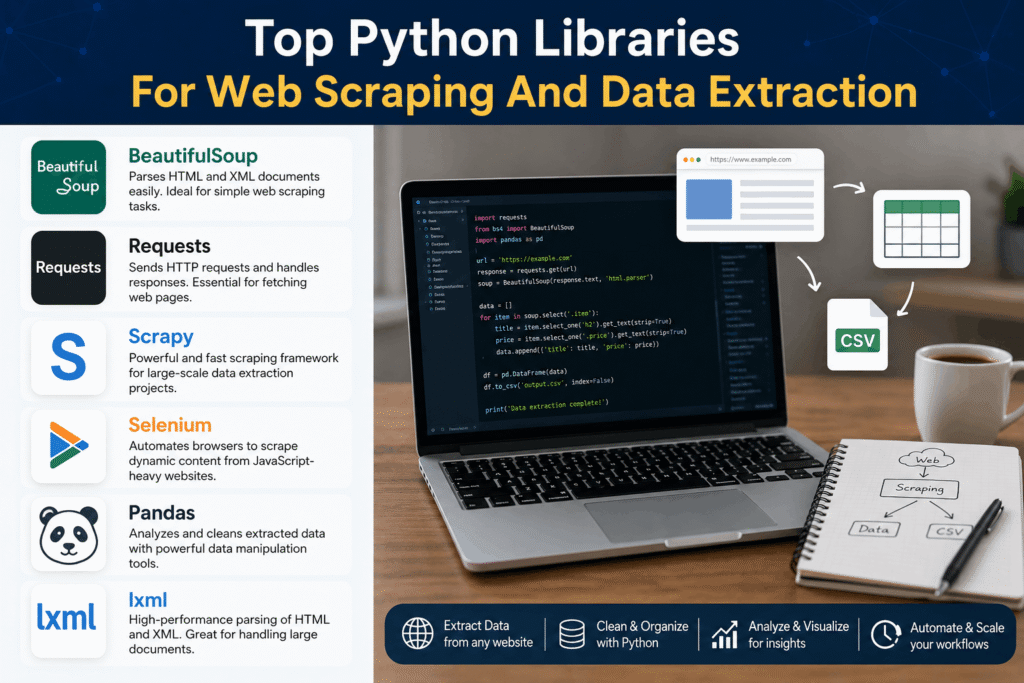
Let’s break down the libraries that actually matter in 2026. Each one owns a specific niche.
1. Selenium
Selenium is a browser automation framework that controls real web browsers (Chrome, Firefox, Edge) through WebDriver, making it ideal for scraping JavaScript-rendered content and sites requiring user interaction. Originally built for automated testing in 2004, developers co-opted it for web scraping because it executes JavaScript exactly like a human visitor would.
The main advantage? Complete JavaScript support. When you’re targeting single-page applications built with React or Angular, Selenium renders the full DOM after all scripts execute. It handles complex scenarios: clicking buttons to reveal hidden content, filling out multi-step forms, waiting for AJAX requests to complete. I’ve used Selenium to scrape real-estate platforms where property details only load after clicking “Show More” buttons – scenarios that break every static scraper.
Performance is the obvious trade-off. Spinning up a headless Chrome instance consumes 150-200MB of RAM per browser. Rendering JavaScript adds 2-5 seconds per page compared to milliseconds for HTTP requests. According to WebPageTest’s 2024 benchmarks, median page load times hover around 2.3 seconds globally – that’s dead time your scraper spends waiting. For high-volume projects, Selenium becomes expensive quickly.
Setup complexity has improved significantly. The Selenium 4 release introduced relative locators, which make element selection more intuitive, and native Chrome DevTools Protocol support. You can now take screenshots, intercept network requests, and modify HTTP headers without third-party libraries.
Use Selenium when you’re dealing with:
- JavaScript-heavy SPAs where data loads asynchronously
- Sites requiring multi-step navigation (login flows, pagination via infinite scroll)
- Dynamic content that changes based on user interaction
- Situations where you need to capture screenshots or interact with complex UI elements
Skip it for static HTML sites or high-volume scraping where speed matters more than browser fidelity.
2. Requests
Requests is an HTTP client library that sends GET and POST requests to web servers and retrieves raw HTML responses without rendering JavaScript. It’s the foundation of most Python web scraping projects because it’s fast, simple, and battle-tested. The library has been downloaded over 500 million times as of 2024.
The entire library boils down to a few core methods: `requests.get()` for fetching pages, `requests.post()` for submitting forms, and built-in session management for handling cookies and authentication. You can write a functional scraper in three lines:
“`python
import requests
response = requests.get(‘https://example.com’)
html_content = response.text
“`
Speed is its superpower. A well-tuned Requests scraper can fetch 200-300 pages per minute on a standard connection because there’s no browser overhead. It sends HTTP requests directly to the server, receives the response, and moves on. For static sites that serve pre-rendered HTML (think news sites, blogs, government databases), Requests outperforms browser automation by 10-15x.
The limitation is obvious: zero JavaScript support. If a website loads content via AJAX calls or uses client-side rendering, Requests only retrieves the initial HTML skeleton. You’ll pair it with a parser like Beautiful Soup to extract data from the HTML it fetches.
Session handling makes Requests particularly useful for authenticated scraping. Maintain a persistent session across multiple requests, automatically manage cookies, and handle redirects without writing custom logic:
“`python
session = requests.Session()
session.post(‘https://example.com/login’, data={‘user’: ‘name’, ‘pass’: ‘word’})
protected_page = session.get(‘https://example.com/dashboard’)
“`
Use Requests when:
- Target websites serve static, server-side rendered HTML
- Speed matters more than JavaScript support
- You’re scraping APIs that return JSON instead of HTML
- Building scrapers for sites with simple authentication
Avoid it for JavaScript-heavy sites, infinite scroll pagination, or scenarios requiring browser-specific features like localStorage manipulation.
3. Beautiful Soup
Beautiful Soup is an HTML and XML parsing library that transforms messy markup into a navigable Python object tree, making it the de facto standard for extracting data after you’ve fetched it with Requests. The name comes from Lewis Carroll’s poem in *Alice’s Adventures in Wonderland*, and it’s been maintained by Leonard Richardson since 2004.
The genius of Beautiful Soup is its tolerance for broken HTML. Real-world websites rarely validate perfectly – unclosed tags, mismatched nesting, encoding issues. Beautiful Soup handles it gracefully using parsers like lxml or html.parser. According to Python Package Index data, it’s been downloaded over 150 million times, making it one of the most popular Python packages ever.
The learning curve is almost flat. Find elements by tag name, CSS class, or ID. Navigate parent-child relationships. Extract text or attributes:
“`python
from bs4 import BeautifulSoup
soup = BeautifulSoup(html_content, ‘lxml’)
prices = soup.find_all(‘span’, class_=’product-price’)
for price in prices:
print(price.text.strip())
“`
CSS selectors and tag-based searching cover 95% of scraping scenarios. When you need more precision, Beautiful Soup supports regex patterns and custom filter functions. You can chain methods to navigate deeply nested structures without writing complex XPath expressions.
Performance becomes an issue at scale. Beautiful Soup parses synchronously and holds the entire document tree in memory. Scraping a 2MB HTML page is fine; processing 10,000 of them simultaneously will crash your server. Parsing speed tops out around 50-100 documents per second using lxml, which is fast enough for prototypes but limiting for production pipelines.
The killer combination is Requests + Beautiful Soup. Requests fetches the HTML, Beautiful Soup extracts the data. This pattern handles probably 60% of all web scraping projects I’ve seen in production. It’s simple, debuggable, and doesn’t require learning a framework.
Use Beautiful Soup for:
- Parsing HTML retrieved by Requests or another HTTP client
- Quick prototyping and one-off scraping tasks
- Extracting data from static HTML with consistent structure
- Learning web scraping fundamentals
Skip it for XML documents at massive scale (use lxml directly), JavaScript-rendered content (you need browser automation), or projects requiring built-in request management.
4. SeleniumBase
SeleniumBase is a Selenium wrapper that adds anti-detection capabilities, automatic waiting logic, and simplified syntax specifically designed for web scraping. Created by Michael Mintz in 2016, it solves Selenium’s two biggest problems: complex setup and easy detection by anti-bot systems.
The core value proposition is stealth mode. Standard Selenium scrapers are trivial to detect – websites check for WebDriver variables in the JavaScript context, monitor mouse movements, and analyze browser fingerprints. SeleniumBase includes built-in evasions: it removes WebDriver flags, randomizes viewport sizes, and mimics human-like actions. According to the project’s documentation, it bypasses Cloudflare’s bot detection and similar systems that block vanilla Selenium.
Syntax improvements make common tasks one-liners. Instead of Selenium’s verbose `WebDriverWait` + `expected_conditions`, SeleniumBase auto-waits for elements to load:
“`python
from seleniumbase import Driver
driver = Driver(uc=True) # uc = undetected mode
driver.get(‘https://example.com’)
driver.click(‘button#load-more’)
products = driver.find_elements(‘div.product-card’)
“`
The `uc=True` flag activates undetected-chromedriver mode, which patches Chrome to hide automation indicators. This matters when you’re scraping sites protected by anti-bot services.
Speed is still a Selenium-level bottleneck. You’re running a full browser, so expect 2-4 seconds per page minimum. The library adds overhead for stealth features – maybe 10-15% slower than vanilla Selenium. For high-volume projects, you’ll need distributed systems or accept the performance constraints.
Dashboard and reporting features are surprisingly useful. SeleniumBase includes built-in test runners, automatic screenshot capture on failures, and HTML reports. These are overkill for simple scrapers but invaluable when you’re maintaining dozens of scrapers in production and need to diagnose why one stopped working.
Use SeleniumBase when:
- Target sites actively block standard Selenium
- You need browser automation with better defaults than vanilla Selenium
- Building scrapers that interact with complex JavaScript applications
- Willing to trade speed for detection resistance
Avoid it for static sites (use Requests instead), budget hosting (browser automation needs 2GB+ RAM), or scenarios where millisecond response times matter.
5. curl_cffi
curl_cffi is an HTTP client that wraps the curl library’s C API to perfectly impersonate browser TLS fingerprints, making it nearly impossible for servers to distinguish from real Chrome or Firefox browsers. Released in 2022 by lexiforest, it solves the TLS fingerprinting problem that plagues Requests-based scrapers.
Here’s the technical reality: when your Python script sends an HTTP request, the TLS handshake reveals it’s not a browser. Modern anti-bot systems analyze cipher suites, extension order, and signature algorithms to fingerprint your client. Requests uses OpenSSL, which produces a distinct signature. curl_cffi uses libcurl with BoringSSL (Chrome’s TLS library), creating byte-perfect fingerprints that match real browsers. Research from Cloudflare shows TLS fingerprinting catches 40-50% of bot traffic that passes other checks.
Performance matches Requests while bypassing detection. You’re still sending HTTP requests without rendering JavaScript, so you get 200-300 pages per minute. The difference is that websites protected by Cloudflare, Akamai, or PerimeterX don’t block you immediately:
“`python
from curl_cffi import requests
response = requests.get(‘https://example.com’, impersonate=’chrome110′)
print(response.text)
“`
The `impersonate` parameter tells curl_cffi which browser to mimic. It supports Chrome versions 99-120, Firefox, Safari, and Edge. Each version uses that browser’s exact TLS configuration.
Setup complexity is the trade-off. Installing curl_cffi requires compiling C extensions, which can fail on some systems. On Windows, you’ll need Visual Studio Build Tools. On Linux, ensure you have gcc and libcurl development headers. The installation documentation walks through platform-specific quirks, but expect 15-30 minutes of troubleshooting on first install.
API compatibility with Requests makes migration trivial. If you’ve got a working Requests scraper that’s getting blocked, swap `import requests` to `from curl_cffi import requests` and add the `impersonate` parameter. You’ll keep all your existing code for sessions, cookies, and error handling.
Use curl_cffi when:
- Target sites use TLS fingerprinting to block bots
- You need Requests-level speed with browser-level stealth
- Scraping protected sites but don’t need JavaScript rendering
- Willing to handle platform-specific installation complexity
Skip it for local development (the installation hassle isn’t worth it for simple projects), JavaScript-heavy sites (no rendering capability), or when standard Requests already works.
6. Playwright
Playwright is a browser automation framework developed by Microsoft that controls Chromium, Firefox, and WebKit through a single API, offering better performance and reliability than Selenium. Released in 2020 by former Chrome DevTools team members, it’s quickly becoming the preferred choice for modern web scraping projects requiring JavaScript support.
The speed advantage over Selenium is measurable. Playwright uses persistent browser contexts instead of launching new browser instances for each session, reducing startup time from 2-3 seconds to under 500ms. According to Playwright’s official benchmarks, it executes common automation tasks 20-30% faster than Selenium. This compounds when you’re running hundreds of browser sessions daily.
Auto-waiting eliminates the biggest source of Selenium flakiness. Playwright automatically waits for elements to be actionable before interacting with them – no more `time.sleep()` hacks or explicit waits. Network idle detection waits for all background requests to complete. These features make scripts more reliable without adding manual waits:
“`python
from playwright.sync_api import sync_playwright
with sync_playwright() as p:
browser = p.chromium.launch(headless=True)
page = browser.new_page()
page.goto(‘https://example.com’)
page.click(‘text=Load More’) # Auto-waits until clickable
content = page.content()
browser.close()
“`
Cross-browser support matters more than you think. Some sites serve different content to different browsers or use browser-specific bugs for bot detection. Playwright lets you test across Chromium, Firefox, and WebKit using identical code. When a site blocks Chromium-based automation, switch to Firefox in literally one line.
Network interception opens advanced scraping techniques. Capture AJAX responses directly instead of parsing HTML. Mock API endpoints. Block unnecessary resources (images, fonts, ads) to speed up page loads by 40-50%. Modify request headers on the fly. This level of control is impossible with Selenium without using browser extensions.
The async API scales better for concurrent scraping. Playwright’s default API is synchronous, but the async version handles multiple pages simultaneously without threading complexity. I’ve run 50 concurrent browser contexts on a single 8GB server using async Playwright – something that would crash with synchronous Selenium.
Use Playwright when:
- Building modern web scraping infrastructure from scratch
- Need browser automation faster than Selenium
- Targeting sites that detect and block Selenium
- Require cross-browser testing or network-level control
Avoid it for static HTML sites (wasteful overhead), legacy systems where Selenium is already integrated, or when you’re comfortable with Selenium and don’t need the performance boost.
7. Scrapy
Scrapy is a full-featured web scraping framework that handles crawling, parsing, data storage, and request management in a single architecture designed to process thousands of pages efficiently. Originally developed by Scrapinghub in 2008, it’s the only true “enterprise-grade” scraping framework in the Python ecosystem.
The architectural difference is fundamental. While other libraries focus on fetching or parsing, Scrapy orchestrates entire scraping pipelines. Spiders define what to scrape. Middleware handles requests/responses. Pipelines process and store data. Scheduler manages concurrent requests. This separation of concerns makes large projects maintainable:
“`python
import scrapy
class ProductSpider(scrapy.Spider):
name = ‘products’
start_urls = [‘https://example.com/products’]
def parse(self, response):
for product in response.css(‘div.product’):
yield {
‘name’: product.css(‘h2::text’).get(),
‘price’: product.css(‘span.price::text’).get(),
}
next_page = response.css(‘a.next::attr(href)’).get()
if next_page:
yield response.follow(next_page, self.parse)
“`
Asynchronous architecture enables massive scalability. Scrapy uses Twisted for asynchronous networking, allowing it to process 16-32 concurrent requests by default (configurable much higher). On a standard VPS, Scrapy handles 3,000-5,000 pages per hour compared to 300-500 for synchronous Requests-based scrapers. According to Scrapy’s documentation, production deployments regularly process millions of pages daily.
Built-in features solve problems you didn’t know existed yet. Automatic throttling prevents overwhelming target servers. Download delays and AutoThrottle extension adjust request rates based on server response times. Duplicate filtering prevents re-scraping the same URLs. Cookie and session handling work automatically. Item pipelines validate and clean data before storage. These aren’t add-ons – they’re core framework features.
The learning curve is the steepest of any library discussed here. Scrapy requires understanding its component architecture before you can write effective spiders. Middleware, pipelines, settings – there’s genuine framework complexity. Budget 2-3 days to get comfortable if you’re new to it. But that investment pays off when you’re maintaining 10+ scrapers and can reuse components across projects.
JavaScript support requires integration. Base Scrapy only handles static HTML. For JavaScript-heavy sites, integrate Scrapy with Playwright via scrapy-playwright or Splash (a headless browser). These integrations work, but they complicate deployment and slow performance to browser-automation speeds.
Use Scrapy when:
- Building production scraping infrastructure
- Scaling beyond 10,000 pages or need robust scheduling
- Managing multiple scrapers with shared components
- Require built-in data pipelines, validation, and storage
Avoid it for one-off scraping tasks (too much overhead), prototyping (simpler libraries work faster), projects requiring deep JavaScript interaction (browser automation tools are better), or when you’re just learning web scraping.
Best Python Web Scraping Library
There is no single “best” library. Your use case determines the right tool.
For beginners learning web scraping: Start with Requests + Beautiful Soup. You’ll understand HTTP fundamentals, HTML parsing, and data extraction without drowning in framework complexity. Once you can consistently scrape static sites, graduate to more specialized tools.
For JavaScript-heavy single-page applications: Playwright edges out Selenium in 2025. Faster execution, better reliability, cleaner API, and superior documentation. The only reason to pick Selenium is if you’ve already got Selenium infrastructure deployed or need edge case browser coverage.
For high-volume production scraping: Scrapy dominates when you’re processing 50,000+ pages daily. The built-in scheduler, middleware system, and pipeline architecture handle complexity that would require thousands of lines of custom code with other libraries. Yes, the learning curve is steeper, but the ROI shows up fast at scale.
For bypassing anti-bot protection on static sites: curl_cffi gives you Requests-level performance with browser-level fingerprints. If you’re getting blocked by TLS fingerprinting but don’t need JavaScript rendering, this is your tool. The installation headaches are worth it when you’re maintaining scrapers that would otherwise require expensive proxy services.
For Selenium users getting blocked: SeleniumBase adds just enough anti-detection to solve most bot protection without rewriting your code. It’s Selenium with better defaults and stealth mode. If you’ve got working Selenium scrapers that suddenly stopped working, try SeleniumBase before rebuilding with a different library.
The reality for production systems? You’ll end up using 2-3 libraries in combination. Scrapy for orchestration and request management. Playwright integrated via scrapy-playwright for JavaScript pages. Beautiful Soup or lxml for specialized parsing tasks. The best developers build toolkits optimized for different scenarios rather than forcing one library to solve every problem.
One final consideration: community and maintenance matter more than features. A slightly slower library with active maintainers beats a faster abandoned project every time. Check GitHub activity, release frequency, and issue response times before committing to any tool for production use.
Conclusion
Choosing the right Python web scraping library in 2026 comes down to matching tool capabilities to your specific requirements.
Start with these three actionable takeaways:
First, match the library to your target content type. Static HTML sites work perfectly with the Requests + Beautiful Soup combination – you’ll get 90% of the performance at 10% of the complexity. JavaScript-heavy applications require browser automation, and Playwright currently offers the best balance of speed, reliability, and modern features. Don’t waste resources running headless browsers when static parsing works.
Second, plan for scale from the beginning if you’re building production infrastructure. Scrapy’s architectural overhead feels excessive for small projects, but it becomes essential once you’re processing 10,000+ pages or maintaining multiple scrapers. The framework’s built-in scheduler, middleware system, and data pipelines save months of development time compared to building equivalent functionality from scratch with simpler libraries.
Third, anti-detection features aren’t optional anymore in 2026. Basic Requests scrapers get blocked within minutes on protected sites. Budget time for learning curl_cffi if you’re targeting sites with TLS fingerprinting, or SeleniumBase if you need JavaScript support with stealth capabilities. The installation complexity pays for itself in reduced blocking rates.
Ready to build your first scraper? Pick Requests + Beautiful Soup for static sites, Playwright for JavaScript-heavy targets, or Scrapy if you’re building production infrastructure. Test on simple targets first, then scale up as you understand the limitations.